Space Shooter 2
Game Details
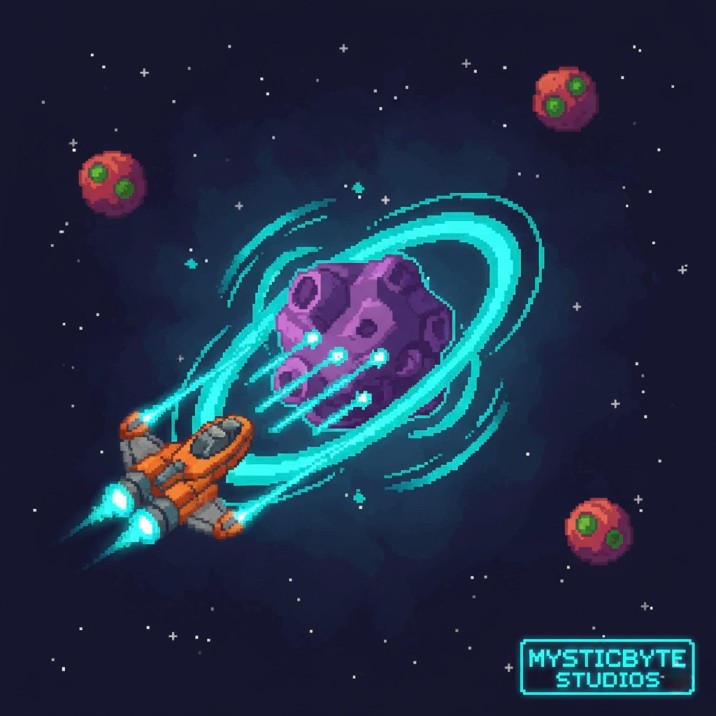
Space Shooter is a classic arcade-style space shooter where you pilot a starship through waves of enemies in deep space. Navigate through a beautiful animated starfield while dodging enemy ships and their bullets. Shoot down drones and scouts, collect upgrade power-ups to enhance your firepower, and survive as long as possible across progressively challenging waves. Features acceleration-based movement, dual enemy types, upgrade system, explosion particle effects, wave progression, score tracking, and lives system.
Genre: Action
Category: Arcade
Platform: Browser
HOW TO PLAY
CONTROLS:
- Desktop:
- W Key / Up Arrow: Move up
- A Key / Left Arrow: Move left
- S Key / Down Arrow: Move down
- D Key / Right Arrow: Move right
- SPACE Key: Fire weapons / Shoot
- P Key: Pause / Resume game
- ENTER Key: Start game (from title screen) / Resume (from pause) / Restart (from game over)
- ESC Key: Quit game (return to title screen)
- F11 Key: Toggle fullscreen
BASIC MECHANICS:
1. Player Movement:
- Acceleration-based movement (not instant)
- Player speed: 5 pixels per frame
- Acceleration: 0.5 per frame
- Movement boundaries: Left (50px), Right (width-50), Top (50px), Bottom (height-50)
- Velocity damping when no input: 0.8 multiplier
- Bobbing animation: Vertical sine wave movement (5px amplitude)
- Smooth, responsive control with momentum
2. Shooting System:
- Fire with SPACE key (hold to continuous fire)
- Maximum 5 bullets on screen at once
- Bullet speed: 10 pixels per frame
- Bullet cooldown: Base 60 frames, reduced by fire level (minimum 8 frames)
- Fire rate formula: Math.max(8, 60 - 12 * fireLevel)
- Bullets move right across screen
- Bullets deactivate when off-screen
3. Lives System:
- Starting lives: 3
- Lose life on collision with enemy or enemy bullet
- Invincibility frames: 60 frames after taking damage
- Invincibility visual: Alpha flicker (0.4 to 0.7)
- Screen shake: 10 frames on hit
- Flash effect: White screen flash on hit
- Game over when lives reach 0
4. Enemy Types - Drone:
- Type: Basic enemy
- Health: 1 HP
- Speed: 2 + 0.05 per wave (scales with wave)
- Behavior: Moves left across screen, rotating continuously
- Visual: Red glow filter
- Size: Random scale (0.02 to 0.1)
- Score: 10 + 2 * wave number
5. Enemy Types - Scout:
- Type: Advanced enemy
- Health: 2 HP
- Speed: 4 + 0.1 per wave (scales with wave)
- Behavior: Zigzag movement pattern, shoots bullets
- Zigzag: Changes direction every 60 frames
- Vertical bounds: 100px to 500px
- Fire rate: 120-240 frames between shots (random)
- Visual: Purple glow filter
- Size: Fixed scale 0.15
- Score: 20 + 2 * wave number
- Drops upgrades: 25% chance on death
6. Enemy Spawning:
- Initial spawn interval: 200 frames
- Minimum spawn interval: 30 frames
- Spawn rate decrease: 0.9 multiplier per wave (WAVE_SPAWN_DEC)
- Spawn calculation: Max(floor(previous * 0.9), 30)
- Number of enemies: 1 + floor(wave / 2), maximum 6
- Scout spawn chance: 30% at wave 3, +10% per wave after
- Spawn positions: Right side of screen, vertical spacing
7. Enemy Bullets:
- Fired by Scout enemies
- Bullet speed: 5 pixels per frame (moves left)
- Visual: Red glow filter
- Horizontal bullet (rectangular shape)
- Deactivates when off-screen left
- Maximum 20 enemy bullets in pool
8. Upgrade System:
- Green upgrade orbs dropped by Scout enemies (25% drop rate)
- Upgrade effects:
- Fire level: +1 (increases fire rate)
- Damage: +1 (increases bullet damage)
- Visual: Green glow filter, rotating sprite
- Movement: Moves left slowly with sine wave vertical motion
- Collection: Automatic on collision with player
- Score bonus: +50 points per upgrade
- Multiple upgrades stack (no limit)
9. Wave System:
- Wave duration: 1800 frames (30 seconds at 60fps)
- Wave progression: Automatic after timer expires
- Wave effects:
- Enemy spawn rate increases (interval decreases)
- Enemy speed increases (per enemy type)
- Enemy spawn count increases
- Scout spawn probability increases
- Wave display: Shows current wave number
- Wave progress bar: Visual indicator at bottom of screen
10. Scoring System:
- Base scores: Drone = 10 points, Scout = 20 points
- Wave multiplier: +2 points per wave
- Formula: baseScore + (2 * wave)
- Upgrade collection: +50 points
- Score display: Shows current score (padded to 4 digits)
- High score: Saved to localStorage (key: 'nebula_highscore')
- Score pop-ups: Floating "+score" text appears at kill location
11. Collision Detection:
- Bullet vs Enemy: Bounding box collision
- Player vs Enemy: Bounding box collision
- Player vs Enemy Bullet: Bounding box collision
- Player vs Upgrade: Bounding box collision
- Collision checks: getBounds() method
- Damage dealt: Player damage value (starts at 1, increases with upgrades)
12. Explosion System:
- Particles: 10 particles per explosion
- Particle lifespan: 30 frames
- Explosion pool: 8 simultaneous explosions
- Visual: Orange/yellow particles with fade-out
- Velocity: Random direction, speed 2-4 pixels per frame
- Triggered on: Enemy death, player hit, upgrade collection
13. Visual Effects:
- Glow filters: Blue (player), Red (enemies/drones), Purple (scouts), Green (upgrades/HUD), Yellow (score pops), White (text)
- Screen shake: Triggers on hit and upgrade collection
- Flash overlay: White screen flash on player damage
- Particle effects: Engine exhaust particles, explosion particles
- Bobbing animations: Player ship, title screen ship
- Starfield: 3-layer parallax scrolling background
14. Starfield Background:
- Layers: 3 parallax layers
- Stars per layer: 30 (layer 1), 50 (layer 2), 70 (layer 3)
- Layer speeds: 1, 2, 3 (increasing depth)
- Star properties: Random alpha (0.6-0.9), random speed variation, twinkle effect
- Twinkling: Sine wave alpha animation based on time and position
- Wrapping: Stars wrap from left to right when off-screen
15. Engine Particles:
- Particles: 10 engine exhaust particles
- Life: 10 frames when active
- Spawn: Random chance (40% per frame)
- Position: Behind player ship
- Visual: Yellow/gold tinted particles
- Animation: Positioned relative to player with bobbing
16. HUD (Heads-Up Display):
- Score: Top-left, green glow, updates in real-time
- Lives: Top-right, heart icons (3 total), dims when lost
- Wave number: Bottom-center, purple glow, animated scale
- Wave progress bar: Bottom-center, blue fill, shows wave completion
- All HUD elements: Visible during gameplay, hidden during title/game over
17. Game States:
- Title Screen: Shows game title, "Press ENTER to Launch", animated ship
- Playing: Active gameplay with all systems running
- Paused: Game paused, overlay with resume/quit options
- Game Over: Shows final score, high score, "Press ENTER to Restart"
18. Title Screen:
- Title text: "Space Shooter" (blue glow, animated scale)
- Subtitle: "Press ENTER to Launch" (white glow, animated alpha)
- Ship preview: Animated player ship (bobbing, rotation)
- Animations: Pulsing title, fading subtitle, floating ship
19. Pause Screen:
- Overlay: Dark semi-transparent background
- Text: "PAUSED" (blue glow)
- Instructions: "Press P or ENTER to Resume" (white)
- Exit: "Press ESC to Quit Game" (red)
- Toggle: P key or Enter key
20. Game Over Screen:
- Overlay: Dark semi-transparent background
- Title: "GAME OVER" (white glow)
- Final score: Current score (green glow)
- High score: Best score saved (yellow glow)
- Restart: "Press ENTER to Restart" (white)
- High score save: Automatic if new record
21. Screen Shake:
- Trigger: Player hit (5 frames), upgrade collection (2 frames)
- Effect: Random stage offset (-4 to +4 pixels)
- Visual: Creates impact feeling
- Duration: Short, doesn't affect gameplay precision
22. Flash Effect:
- Trigger: Player takes damage
- Visual: White overlay fade (10 frames)
- Alpha: Starts at 1.0, fades to 0 over 10 frames
- Purpose: Visual feedback for damage
23. Score Pop-ups:
- Display: Floating "+score" text at kill/upgrade location
- Lifespan: 30 frames
- Animation: Moves upward, scales with pulse, fades out
- Visual: Yellow glow filter, white text with yellow stroke
- Multiple: Pool of 6 score pop-ups
24. Bullet Pool System:
- Player bullets: Pool of 5 bullets
- Enemy bullets: Pool of 20 bullets
- Object pooling: Reuses bullets for performance
- Activation: Bullets activate on fire, deactivate off-screen
25. Upgrade Collection:
- Automatic: Collected on collision
- Visual feedback: Explosion, score pop-up, screen shake
- Stacking: Multiple upgrades stack indefinitely
- Fire rate improvement: Each upgrade reduces cooldown by 12 frames
- Damage improvement: Each upgrade increases damage by 1
26. Enemy AI Behavior:
- Drone: Simple left movement with rotation
- Scout: Zigzag vertical movement with shooting
- Zigzag timing: Changes direction every 60 frames
- Zigzag bounds: Constrained between y=100 and y=500
- Shooting range: Scouts shoot when x < width - 100
27. Performance Optimizations:
- Object pooling: Bullets, enemies, upgrades, explosions
- Particle containers: Used for particles and explosions
- Texture reuse: Pre-generated textures for graphics
- Efficient collision: getBounds() for bounding box checks
28. Local Storage:
- High score: Saved as 'nebula_highscore'
- Persistence: High score persists between sessions
- Retrieval: Loads on game initialization
29. Responsive Design:
- Fullscreen: F11 to toggle fullscreen mode
- Window resize: Automatically adjusts canvas size
- Mobile: Responsive to screen size changes
- Canvas: Matches viewport dimensions
30. Loading Screen:
- Progress bar: Visual loading progress
- Loading text: Status updates during loading
- Animation: Pulsing title during load
- Fade out: Smooth transition when ready
STRATEGIC TIPS:
- Movement Mastery: Use acceleration-based movement to your advantage. Start moving early to dodge bullets.
- Fire Rate Management: Collect upgrades early to maximize fire rate. Higher fire rate = more enemies destroyed.
- Scout Priority: Focus on scouts first - they're more dangerous but give better rewards and can drop upgrades.
- Bullet Conservation: Don't waste bullets. Wait for good shots rather than spamming fire.
- Upgrade Path: Collect every upgrade you see. Stacked upgrades make later waves easier.
- Movement Patterns: Learn enemy patterns. Scouts zigzag predictably, use this to avoid bullets.
- Boundary Awareness: Stay within movement boundaries. Don't get cornered at edges.
- Wave Planning: Prepare for increasing difficulty. Each wave spawns more enemies faster.
- Damage Stacking: Multiple upgrades dramatically increase damage output. Focus on survival to collect upgrades.
- Score Optimization: Higher waves give more points per kill. Survive longer for higher scores.
ADVANCED TECHNIQUES:
- Upgrade Stacking: Maximize upgrade collection early to build powerful weapon. Stack upgrades for maximum effectiveness.
- Enemy Prioritization: Target scouts first when possible. They're threats but provide valuable upgrades.
- Movement Efficiency: Master acceleration-based movement. Smooth movements are more effective than jerky inputs.
- Bullet Management: Time shots for maximum effectiveness. Don't waste bullets on distant enemies.
- Pattern Recognition: Learn enemy spawn patterns and zigzag timings. Predict enemy movement for easier kills.
- Wave Preparation: Prepare for difficulty spikes. Each wave becomes significantly harder.
- Survival Tactics: Focus on survival over aggressive play. Long survival = more upgrades = easier gameplay.
- Damage Scaling: Understand damage scaling. Each upgrade dramatically improves effectiveness.
- Collision Avoidance: Master dodging enemy bullets. Scout bullets require careful timing to avoid.
- High Score Strategy: Balance aggression with survival. Higher waves give exponentially more points.
WINNING AND PROGRESSION:
- Wave Survival: Survive as many waves as possible. Each wave completed is an achievement.
- Score Achievement: Compete for high scores. High scores saved to localStorage for competition.
- Upgrade Collection: Collect upgrades to power up. Multiple upgrades stack for maximum power.
- Enemy Elimination: Eliminate as many enemies as possible. Each kill contributes to score.
- Survival Time: Survive longer to reach higher waves. Longer survival = more points.
- Mastery Challenge: Master all mechanics. Perfect movement, shooting, and upgrade collection.
- High Score Competition: Beat your previous high score. Challenge yourself to improve.
- Wave Progression: Reach progressively higher waves. Each wave is a new challenge.
- Upgrade Mastery: Maximize upgrade collection. Powerful weapons make survival easier.
- Perfect Game: Survive as long as possible without taking damage. Perfect gameplay demonstrates mastery.
Enjoy piloting your starship through space and surviving the endless enemy waves in Space Shooter!
This is a free browser game available on MysticByte Studios. No downloads required - play instantly in your browser!