Neural Hack
Game Details
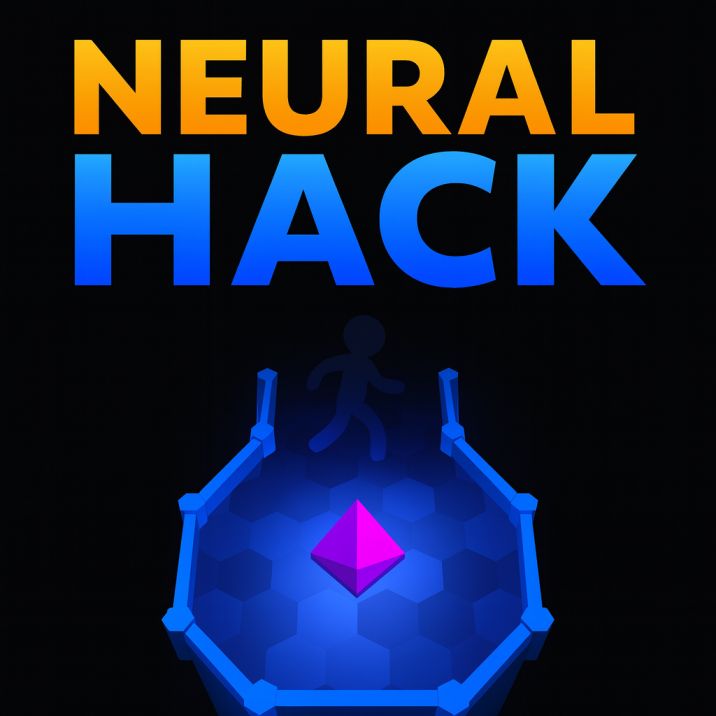
Neural Hack is a time-pressured puzzle-action game where you play as an AI virus infiltrating an alien network. Navigate levels using recorded movement backtraces from previous attempts to reach the memory core and deactivate power generators. You have 13 seconds before alien antivirus detects you - use ghost movements from past runs. Features switch-activated doors, ghost replay system, timer countdown, level progression, and retro terminal-style visuals.
Genre: Puzzle
Category: Action
Platform: Browser
HOW TO PLAY
CONTROLS:
- Desktop:
- W Key / Up Arrow: Move up
- A Key / Left Arrow: Move left
- S Key / Down Arrow: Move down
- D Key / Right Arrow: Move right
- Backspace Key: Kill -9 Neural Hack (reset/restart from backtrace)
- Any Key: Start game from intro screen
- Mobile/Tablet:
- Touch and Swipe: Swipe in direction to move (up, down, left, right)
- Touch End: Triggers fullscreen request on first touch
- Touch Cancel: Releases movement button
BASIC MECHANICS:
1. Movement System:
- Four-directional movement using WASD or arrow keys
- Movement speed: U = 5 units per frame
- Smooth position updates based on input
- Movement vector tracked for drawing and camera
- Player position stored as (x, y) coordinates
2. Time Limit:
- 13 seconds (260 ticks at 20 ticks per second) to complete each level
- Timer displayed in HUD (timer text element)
- Timer starts when level begins (state 2)
- Game over when timer reaches 260 ticks
- Death occurs when time runs out
3. Ghost/Backtrace System:
- Movement history recorded during each attempt
- Previous attempts replay as ghost movements
- Ghosts follow recorded movement path
- Up to 4 ghosts visible simultaneously
- Ghosts removed when path completes
- Use ghost paths to learn optimal routes
- Backtrace system allows learning from failures
4. Collision Detection:
- Wall collision detection prevents passing through walls
- Collision checking with line segments (wall segments)
- Player radius: N = 10 units
- Collision pushes player back when hitting walls
- Collision response returns adjusted position
5. Door System:
- Doors controlled by switches
- Closed doors block movement (collision detection)
- Open doors allow passage
- Doors toggle open/closed state via switches
- Multiple doors can be controlled by switches
- Door states persist during level
6. Switch System:
- Switches activate when player moves over them
- Switch types:
- Single: Toggle once, stays activated
- Momentary: Activates while pressed, deactivates when released
- Others: Decrement press count when released
- Switch activation radius: _ = 15 units (plus player radius)
- Switches control door targets
- Switch pressed counter tracks activation state
7. Level Structure:
- Multiple levels with increasing difficulty
- Each level has: start position, end position, walls, doors, switches
- Level data includes polygon walls and door polygons
- End point must be reached to complete level
- Last level is "THE MEMORY CORE"
- Level progression: Level 1, Level 2, etc., then final memory core
8. Victory Condition:
- Reach end point of level to complete
- End point detection: distance < (player radius + _ = 25 units)
- Level completion sets completed flag
- Victory triggers win state and progression
- Final victory after memory core level
9. Death/Restart System:
- Death occurs when timer expires (260 ticks)
- Death occurs when hitting walls (if fatal)
- Backspace key triggers immediate death
- Death triggers backtrace replay
- Ghost movements replay previous attempt
- Game resets after backtrace completes
10. Camera System:
- Camera follows player position
- Camera tracks movement vector for smooth following
- Camera scale adjusts (starts at 1.5, can zoom)
- Camera reset on level load
- Smooth camera transitions
11. Level Interaction:
- Player interacts with level geometry (walls, doors)
- Interaction function handles collision and switches
- Movement blocked by closed doors
- Switches activated by proximity and movement
- Interaction calculates valid movement vectors
12. Ghost Movement:
- Ghosts replay recorded movement history
- Ghost position updates based on recorded path
- Ghosts interact with switches (trigger switch activation)
- Ghost removed when path completes or reaches end
- Ghost dead flag set when removed
13. Timer Display:
- Timer shown in HUD as numeric value
- Timer increments every tick (20 ticks per second)
- Timer display: x / 20 (converts ticks to seconds)
- Timer visible during gameplay (state 1, 2, 3, 4)
14. Level Display:
- Level name shown in HUD: "Level X" or "THE MEMORY CORE"
- Level text fades in with opacity animation
- Level name updates when loading new level
- Level indicator helps track progress
15. Visual Rendering:
- WebGL-based rendering with shaders
- Level geometry rendered with colors
- Player rendered as moving entity
- Ghosts rendered with different appearance
- Switches render with visual feedback (pressed state)
- Background rendered with effects
16. Game States:
- State 0: Title/intro screen
- State 1: Level ready (preparation)
- State 2: Active gameplay (timer running)
- State 3: Death/backtrace replay
- State 4: Victory/level complete
- State 5: End screen (game complete)
17. Backtrace Replay:
- Movement history stored in array
- Replay moves player backward through history
- Replay continues until history exhausted or player moved far enough
- After replay, ghost added and level reset
- Maximum 4 ghosts tracked
18. Switch Activation:
- Switches detect player entering activation radius
- Entering switch triggers activation (press counter increments)
- Leaving switch may deactivate (depending on type)
- Activation toggles target doors
- Switch sound effects play (switchDown, switchUp)
19. Door Polygon System:
- Doors defined as polygon line segments
- Closed doors check collision against door polygon
- Open doors skip collision checking
- Door state persists throughout level attempt
20. Wall Segment System:
- Walls defined as arrays of connected points
- Each wall segment checked for collision
- Collision detection along line segments
- Multiple walls can form complex level geometry
STRATEGIC TIPS:
- Learn from Ghosts: Watch ghost movements from previous attempts. Ghosts show optimal paths learned through trial and error.
- Time Management: You have exactly 13 seconds. Plan your route quickly and move efficiently without hesitation.
- Switch Timing: Activate switches as you pass over them. Don't backtrack unnecessarily - switches open doors needed for progression.
- Door Planning: Identify which switches control which doors. Plan route to activate switches in correct order.
- Movement Efficiency: Move directly toward objectives. Minimize unnecessary movements to save time.
- Ghost Learning: Use death and backtrace to learn. Each attempt teaches optimal movement patterns through ghost replay.
- Switch Types: Understand switch types. Single switches stay active, momentary switches require continuous presence.
- Collision Awareness: Learn wall positions from collisions. Collision feedback helps memorize level layout.
- Backspace Strategy: Use Backspace to restart quickly if you know you'll fail. Don't waste time on doomed attempts.
- End Point Focus: Always move toward end point. Don't explore unnecessarily - focus on reaching the goal.
ADVANCED TECHNIQUES:
- Ghost Path Optimization: Study ghost paths to find shortcuts. Optimal paths emerge from multiple attempts.
- Switch Sequence Mastery: Learn switch activation sequences. Some switches must be activated in specific order.
- Movement Recording: Understand how movements are recorded. Each frame records movement vector for ghost playback.
- Door Bypass: Use ghost paths that bypass closed doors. Ghosts may show alternative routes.
- Time Optimization: Minimize time by taking direct routes. Every frame counts toward 260-tick limit.
- Multi-Ghost Strategy: Use multiple ghosts to identify best path. Compare ghost performances to find optimal route.
- Switch Coordination: Coordinate multiple switches efficiently. Activate switches in sequence that minimizes backtracking.
- Collision Minimization: Avoid unnecessary collisions. Collisions slow movement and waste time.
- Path Memory: Memorize successful paths. Remember routes that complete levels within time limit.
- End Game Precision: Approach end point precisely. Exact positioning ensures level completion detection.
WINNING AND PROGRESSION:
- Level Completion: Complete each level by reaching end point within 13 seconds. Each level completed unlocks next challenge.
- Progress Tracking: Progress through numbered levels (Level 1, Level 2, etc.). Level progression leads to memory core.
- Memory Core Victory: Complete final "THE MEMORY CORE" level to achieve ultimate victory. Memory core completion frees humanity.
- Time Mastery: Complete levels faster through practice. Improved times demonstrate skill development.
- Ghost Mastery: Successfully use ghost backtraces to navigate. Ghost system enables learning from failures.
- Pattern Recognition: Learn level patterns and optimal routes. Pattern knowledge speeds up completion.
- Switch Mastery: Master switch activation sequences. Understanding switches enables efficient navigation.
- Movement Efficiency: Develop efficient movement patterns. Smooth, direct movement saves time.
- Death Recovery: Learn from deaths through backtrace system. Each death teaches lessons through ghost replay.
- Ultimate Victory: Complete all levels including memory core. Full completion represents mastery of the game.
Enjoy infiltrating the alien network in Neural Hack and freeing humanity from slavery!
This is a free browser game available on MysticByte Studios. No downloads required - play instantly in your browser!